Progress Reporting
Track the progress of your students as a whole class or individually.
Whole Class Report
i
Where to find this: Log in › Reporting › Class Reports
Use the drop-down menus at the top of the page:
- Class — shows the class’s average percentage score for each level and skill.
- Level — shows each child’s score for all skills within that level.
- Skill — shows each child’s score for the sub-skills, e.g. a specific sound or camera/tricky word.
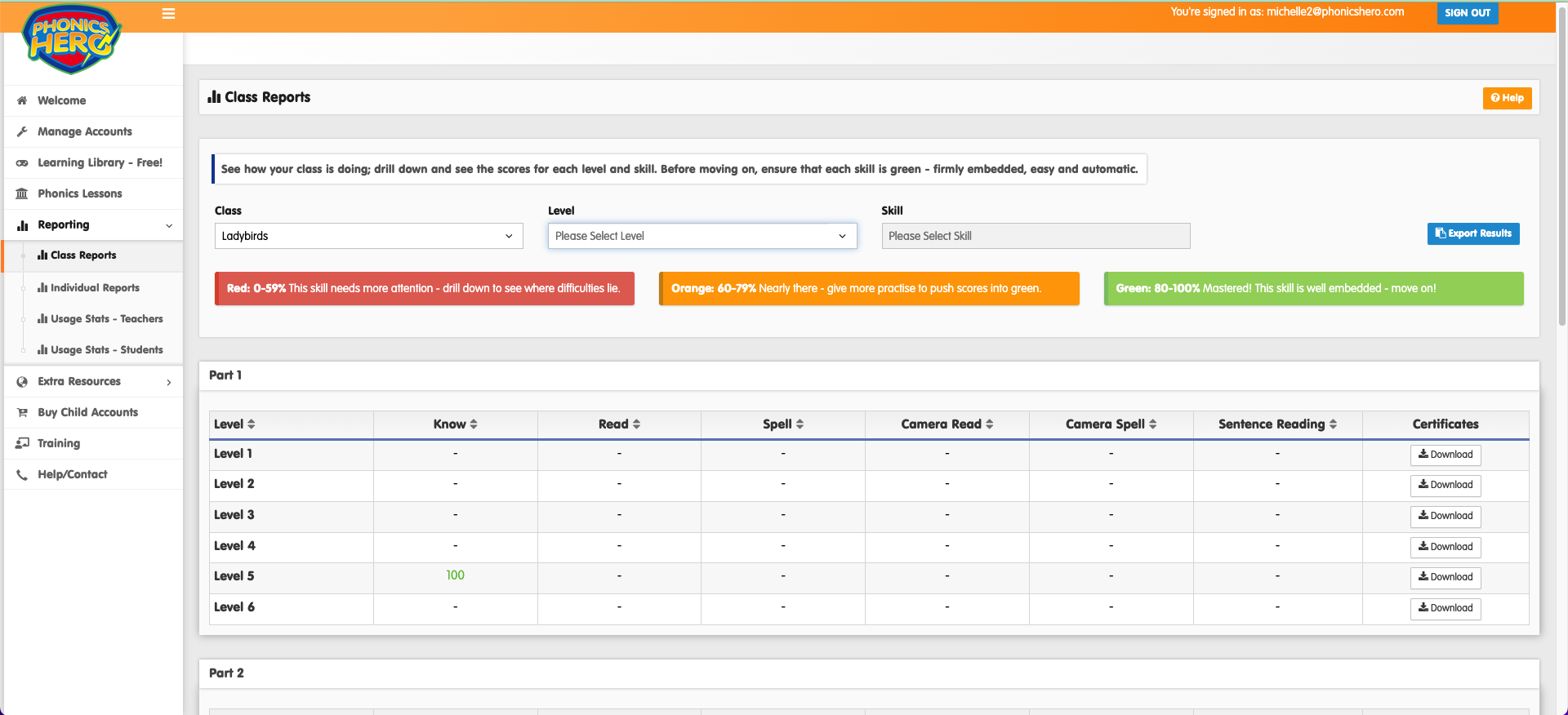
Top tip: Export this data by clicking the blue Export Report button at the top right.

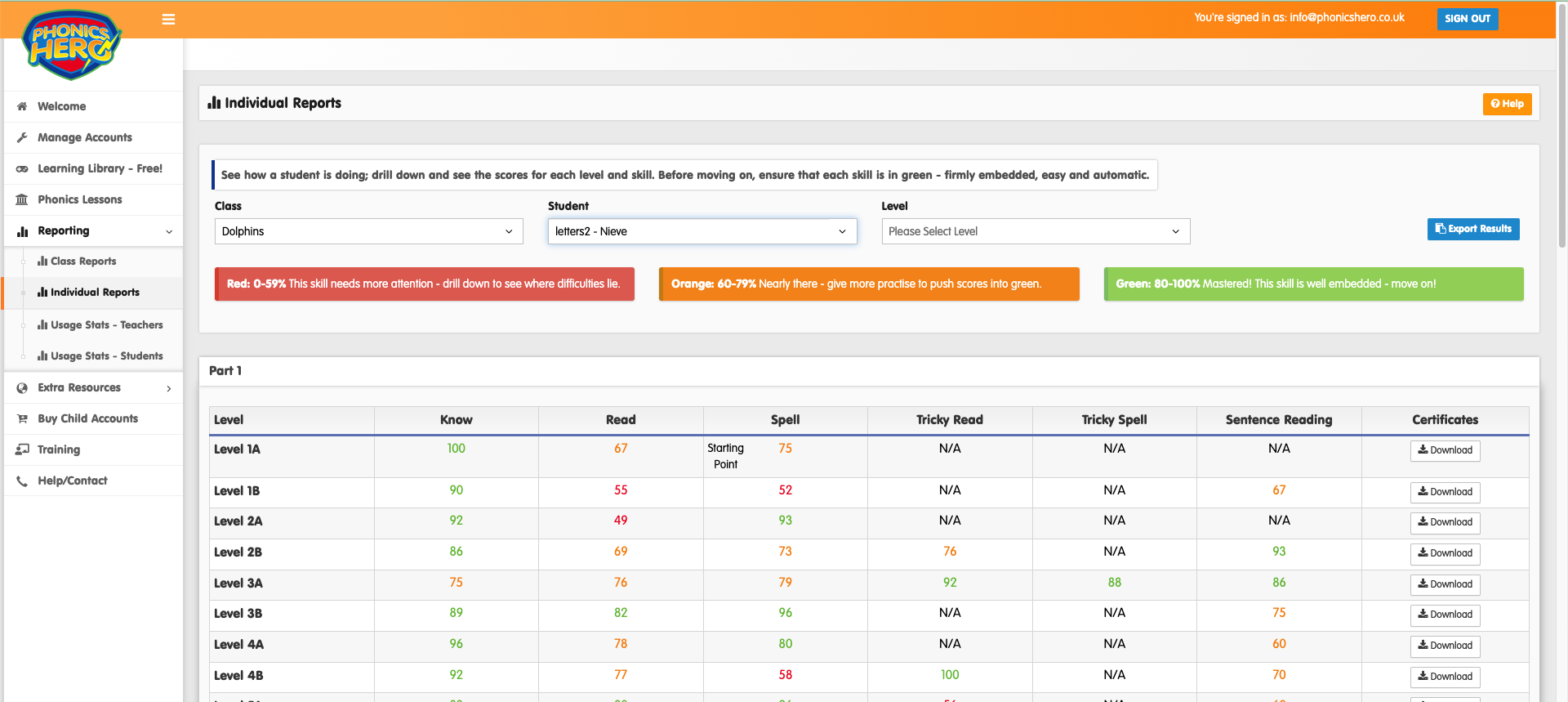
Individual Student Report
i
Where to find this: Log in › Reporting › Individual Reports
Use the individual reports to focus on one child. They work in the same way as the class reports, but by selecting a level in the third drop-down, you will see a more detailed analysis of each skill — including a child’s score on their first attempt, their most recent score, and how many attempts it took to improve.
Note: To track how often and for how long children are playing Phonics Hero, download Student Usage Reports.
See the reporting feature in action:
