Logging Your Students In
Each child will be issued with their own Login Card, with personalised details to log in and play the games both at home and school. They can access their account on both the Phonics Hero website and app.
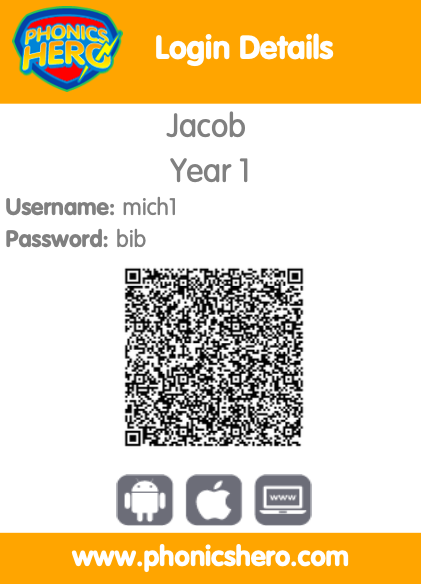
This Login Card can be attached to and sent home alongside the personalised letter.
Via website: phonicshero.com/new-login
Via app: Download from the Apple App Store or Google Play Store>Login
Jump to your login method: Username and password · QR code · NSW DoE Single Sign-On
Logging in with a username and password
- On the login page, enter the unique username and password for the child playing.
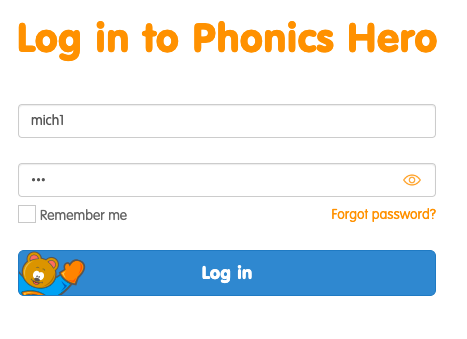
- Click Log in to start playing.
Logging in with a QR code
- On the login page, click the QR Code Log in button.

- Hold the QR code up to the camera and you will be logged in. App users can switch between the front and back camera by tapping Switch Camera.
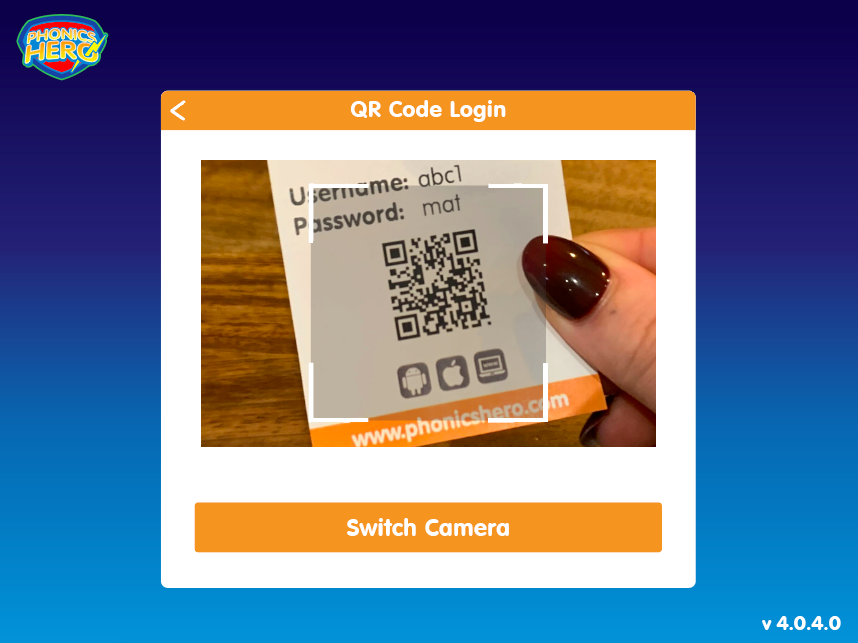
For any issues with using a QR code to log in, please check our troubleshooting page.
Logging in with NSW DoE Single Sign-On
NSW DoE Single Sign-On is available for both teachers and students. Students should enter the first 6 characters of their school email as their username — for example, a student with the email mh1234@education.nsw.gov.au would enter mh1234 plus their password.
For help with NSW DoE Single Sign-On, please visit our SSO troubleshooting page.
“`
