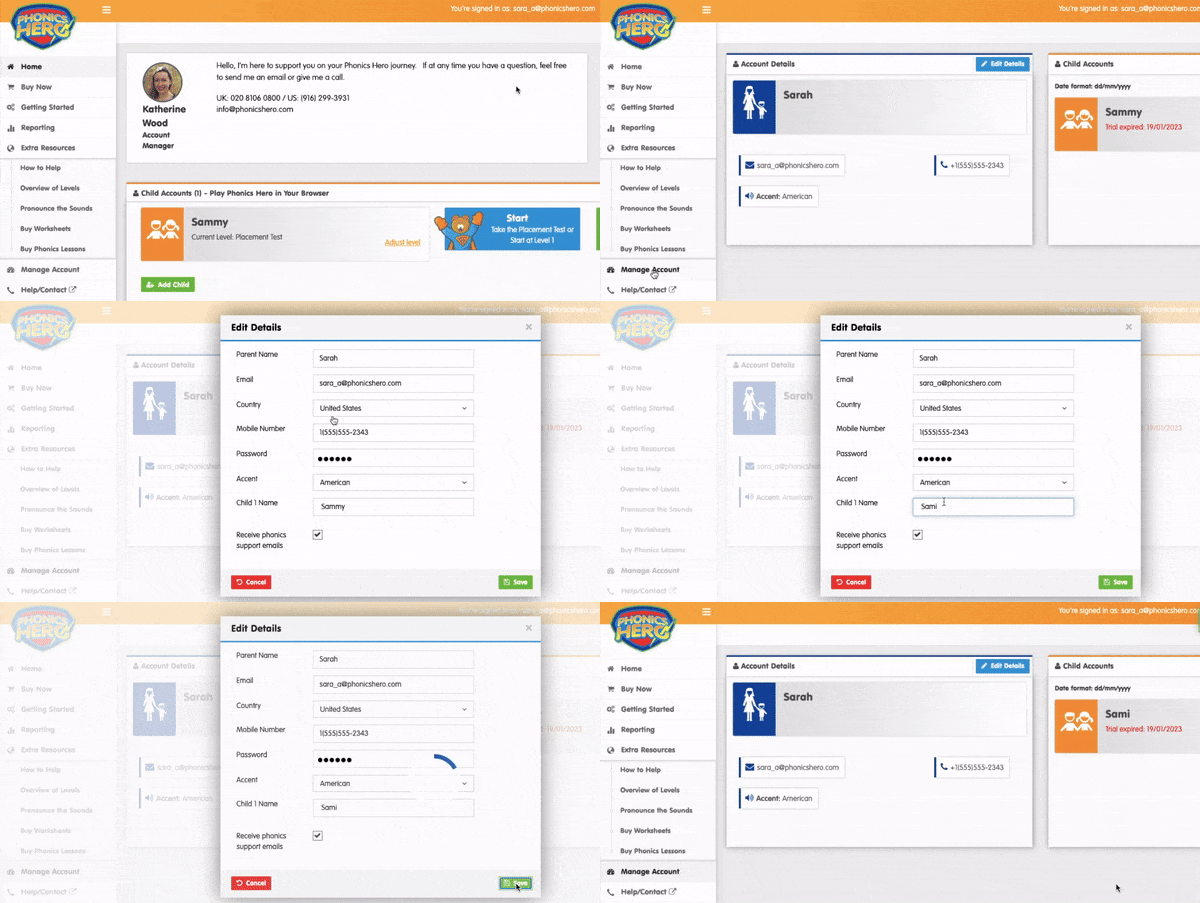
How to Edit My Child’s Name
Changing a Name
i
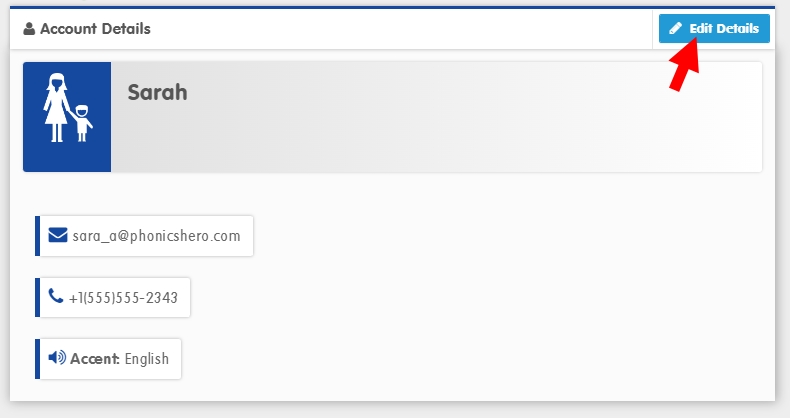
Where to find this: Log in › Manage Account
- Click the blue Edit Details button.
- A window with your account details will appear, including fields for each child’s name. Make any desired changes here.
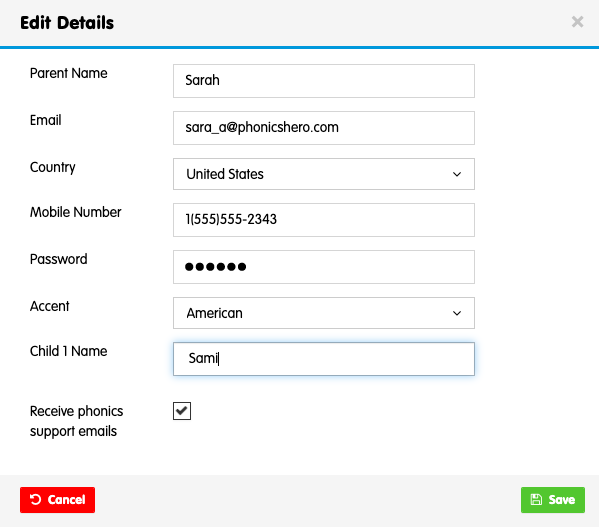
- Click the blue Save button.
If you are looking to transfer the account from one of your children who no longer needs it to their younger sibling, please get in touch with the team so that we can help — in this instance you would also need the account reset to avoid a mix up of scores achieved.
See the steps in action: