How to Change the Accent in Phonics Hero
Phonics Hero comes in three accents: Australian, English and American. We’ve also left out words that are spelled differently in British and American English, such as ‘colour’.
Listen to the Accents
Each sample says: “I say it’s a hot day,” said May.
Australian

English

American

Changing the Accent
Where to find this: Log in on the website › Manage Account. You can’t change the accent in the app.
- Click the blue Edit Details button.
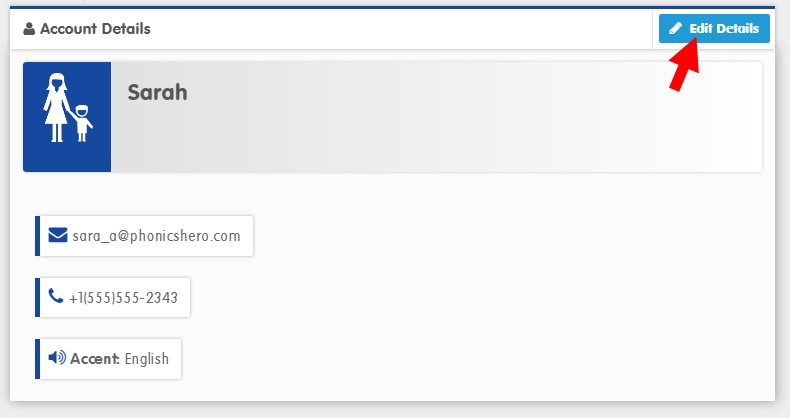
- Your account details will open in a pop-up. Choose your accent from the Accent dropdown menu.

- Click the green Save button.
Your Phonics Hero account will now use your chosen accent.
See the Steps in Action
