How the Placement Test Works
As a teacher, you have the option to either start children off on a specific level or let them take the Placement Test.
On a level you specify
Consider moving children before distributing their logins in the following situations:
- New readers — there’s no need to put younger children through a Placement Test, as most will need to start at the beginning. Move them to Level 1 – Know to start right at the beginning.
- You are using your own assessment data to move children up or down. Find the most suitable level and follow these steps.
- After a long break — if your students have missed school, stopped playing Phonics Hero for a period of time, or had the summer holidays, you may want to review their level and adjust it up or down.
On the default Placement Test
If you leave children at the Placement Test, each child will be presented with the option to complete the Placement Test or to start at Level 1 when they first open the Phonics Hero games. The Placement Test is designed to find the right level for children who have already started learning to read.
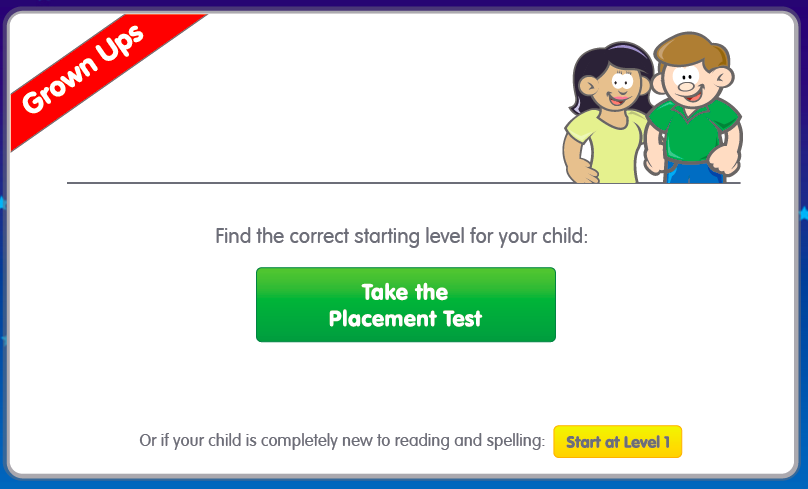
This screen will appear when children first access the Phonics Hero games.
How it works
It’s an independent test, which should be completed without adult help. Parents or teachers can help with navigation, but not with reading the words.
The child is taken through a series of activities asking them to read nonsense words, such as flet or heg. Nonsense words are used to make sure the child is truly decoding, rather than remembering real words they already know. The first set of nonsense words is made up of sounds from Level 1. If the child answers correctly, they move on to words from Level 2, and so on. The test continues until the child gets three answers wrong, and then places them at the corresponding level.
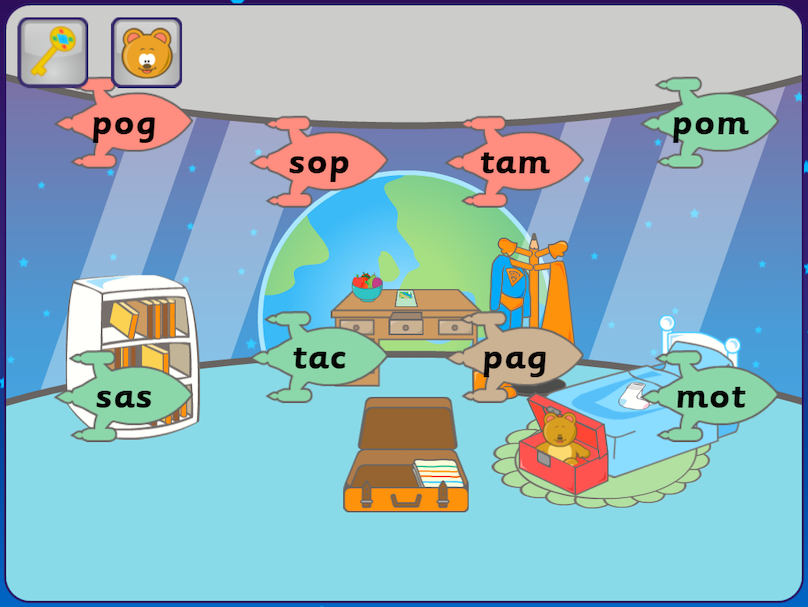
Example words used in the Placement Test
The Placement Test will only take children as far as Level 7 — testing all 26 levels in one go would be very demanding! If Level 7 is still too easy, you can log in to your teacher account to change the child’s level.
How to access the Placement Test
- Log in to the child’s Phonics Hero account through the website or app.
- Click the blue Start or Play Games button next to the child’s name.
- In the window that opens, click the green Take the Placement Test button. If the child is completely new to phonics, they can start at the beginning by clicking the yellow button instead.
