How to Access the Free Games
i
Where to find this: Log in › Learning Library
- Navigate to the relevant part of Phonics Hero. There are three parts in total.
- Choose the target level from the 26 levels.
- Choose the target skill: knowing the sounds, reading, spelling, tricky (camera) word reading, tricky (camera) word spelling, or sentences.
- Click the image next to the sounds or skill you wish to practise (e.g. the duck) and the game will start.
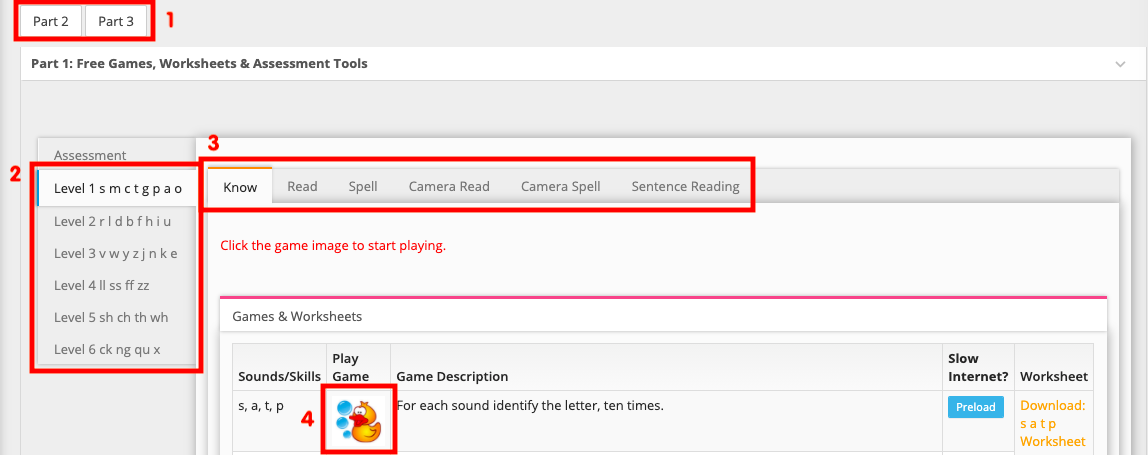
- Once you’ve completed the game, use the navigation on the left to play more games.
- If you have slow internet, click the Preload button before your lesson. When you’re ready to play, click the game’s image icon as normal and the game will load more quickly.
Watch these steps
Want to play on a tablet?
The games in your Teacher Account only work on a computer. If you’d like to use a tablet, you’ll need Child Accounts. Learn more and try them for free.
